
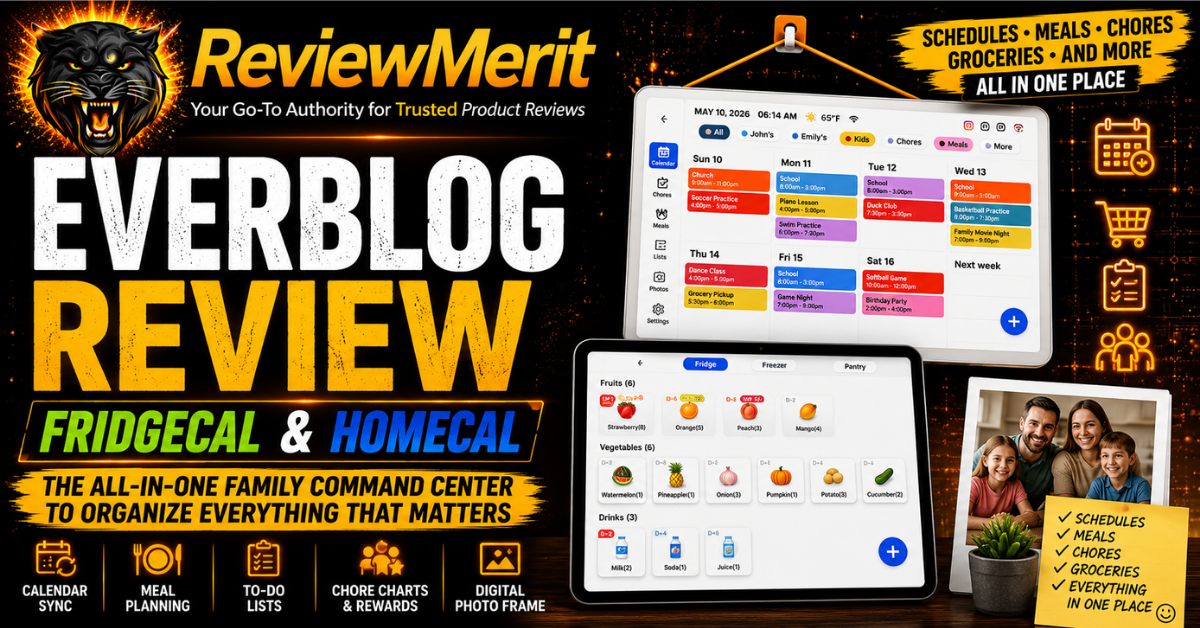
This Everblog Review looks at a product built around a problem almost every busy household knows: too many schedules, too many lists, and too many things to remember.
Everblog’s HomeCal and FridgeCal are designed to pull family calendars, chores, meal planning, grocery lists, reminders, and household organization into one central command center. That sounds great in theory, but the real question is whether these screens actually make family life easier or simply give you one more device to manage.
We’ll break down how HomeCal and FridgeCal work, where they differ, which features stand out, the drawbacks to know before buying, and which one makes the most sense for your home.
This post contains affiliate links. If you purchase through them, we may earn a small commission at no extra cost to you.
Table of Contents
Quick Answer: Is Everblog Worth It?
Yes, Everblog is worth a serious look for busy families who are already juggling multiple calendars, grocery lists, meal plans, chores, reminders, and household tasks across several different places. The biggest appeal is not any one feature. It is the idea of bringing those everyday responsibilities together on one highly visible screen that everyone in the house can use.
HomeCal and FridgeCal take slightly different approaches to that goal. HomeCal is more focused on family scheduling and household organization, while FridgeCal expands the concept into food inventory and kitchen management. If your family would actually use those features consistently, Everblog could replace a surprising amount of clutter and app-hopping. If all you need is a large digital calendar, however, much of what Everblog offers may go unused.
What Is Everblog?
Everblog is a home-organization brand built around large touchscreen displays designed to act as a central command center for the household. Instead of relying on separate phones, paper calendars, sticky notes, grocery lists, and reminder apps, the idea is to give the entire family one shared place to see what is happening and what needs to get done.
The lineup currently centers on HomeCal and FridgeCal. HomeCal handles the more traditional family-management side with shared calendars, chores, meal planning, reminders, and lists. FridgeCal takes many of those same ideas and adds a stronger kitchen focus, including food tracking and grocery-related tools. That makes Everblog less of a simple digital calendar and more of an attempt to organize the day-to-day operation of the entire home.
Everblog HomeCal Review
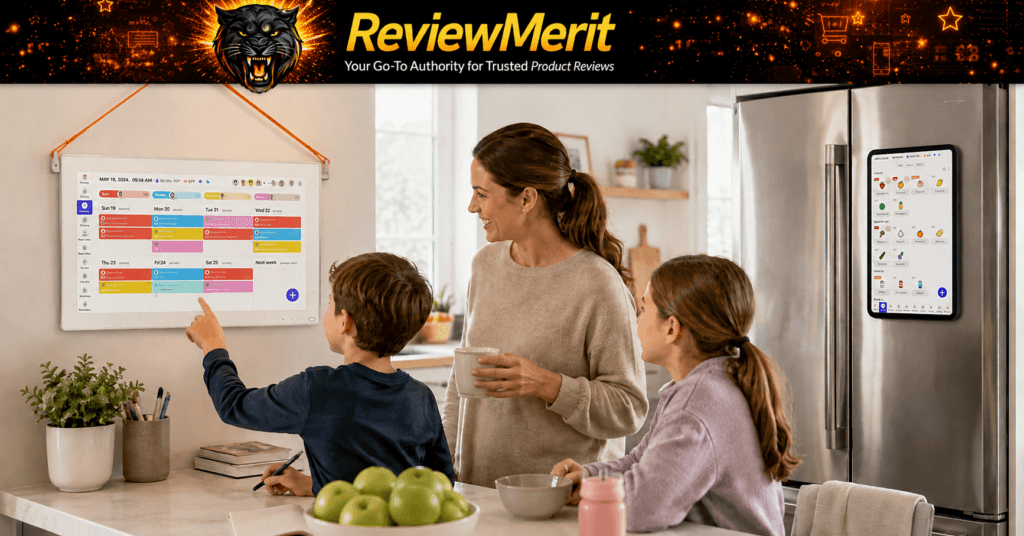
HomeCal is probably the better fit for families whose biggest challenge is simply keeping everyone organized. A shared calendar is only useful if people actually look at it, and that is where a large screen in a central part of the house has an advantage over another app buried on a phone. Appointments, practices, school events, chores, meal plans, reminders, and to-do lists can all stay visible without requiring everyone to remember to check the same app.
The chore and task features are particularly useful for households with kids because responsibilities can be displayed in the same place as the rest of the family schedule. That can reduce some of the constant verbal reminders that come with keeping a household moving. HomeCal can also function as a digital photo frame when it is not being actively used, which gives the screen another purpose instead of leaving a large blank display hanging on the wall.
The potential drawback is that HomeCal still depends on participation. If one person maintains it while everyone else continues using their own calendars and lists, much of the benefit disappears. The families most likely to get their money’s worth are the ones willing to make HomeCal the central place for household planning rather than treating it as an extra screen.
Everblog FridgeCal Review
FridgeCal is where Everblog becomes more distinctive. Plenty of products can display a family calendar, but FridgeCal combines that same household organization with features built around food, groceries, and the kitchen. That gives it a different purpose than simply putting another touchscreen on the wall.
For families that meal plan, keep running grocery lists, or regularly forget what is already in the refrigerator, those added features could be genuinely useful. The refrigerator is also a logical place for a family command center because it is already where many households keep calendars, school papers, grocery lists, reminders, and notes. FridgeCal is essentially trying to take all of that refrigerator-door clutter and turn it into one organized digital system.
The added functionality will not matter equally to everyone. If your household already has a good system for groceries and meal planning, HomeCal may handle most of what you actually need. FridgeCal becomes more compelling when kitchen organization is one of the problems you are specifically trying to solve.
FridgeCal vs HomeCal: Which Everblog Is Better?
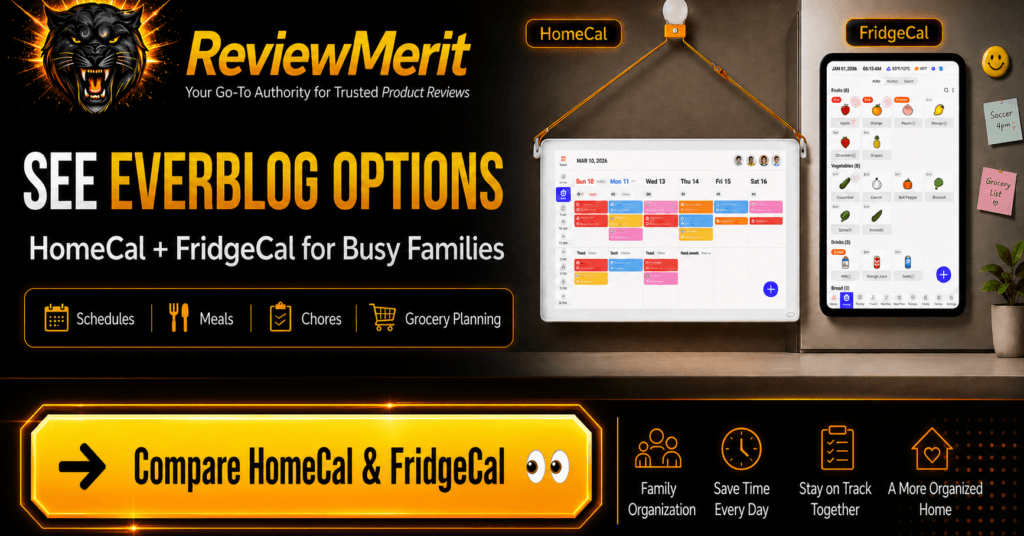
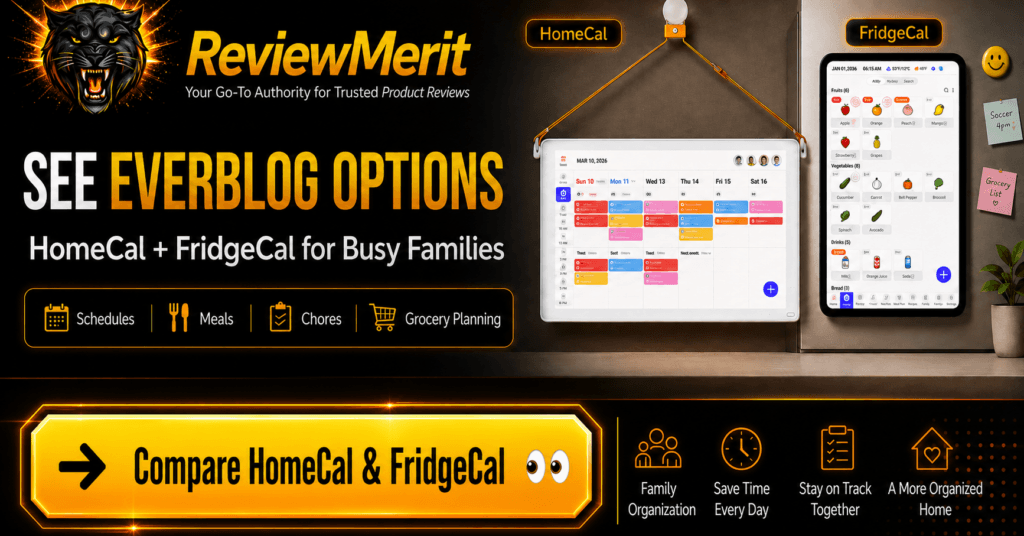
The better choice depends on what you want Everblog to manage. HomeCal makes the most sense when the priority is family scheduling, chores, reminders, meal planning, and shared household lists. It covers the core organization features without putting as much emphasis on food inventory and kitchen management.
FridgeCal is the stronger option for households that want those same family-management tools but also want to organize groceries and food around the refrigerator itself. That extra layer can make FridgeCal feel more like a true kitchen command center rather than simply a digital family calendar.
We would not choose between them based on which model has the longer feature list. The more important question is which features your household will actually use every week. HomeCal should be enough for many families, while FridgeCal makes more sense for households that want food and kitchen organization to be a major part of the system.
How Everblog Works
Everblog is designed to become the shared control center for the household rather than another app that lives on one person’s phone. Once the device is set up, family members can use the touchscreen to view schedules, manage chores, update lists, plan meals, and keep track of household tasks from one central location.
The biggest advantage is visibility. Instead of asking who has practice, what is for dinner, or what still needs to be done, the information is meant to stay in front of everyone throughout the day. That shared visibility is what gives Everblog more value than a standard calendar app, especially in homes where several people are trying to stay coordinated.
Calendar and Family Scheduling
The calendar is still the foundation of Everblog, and for many families it will probably be the feature used most often. Shared scheduling can help keep school events, appointments, sports, work commitments, birthdays, and other plans from getting buried across separate phones and calendars.
What makes the setup more useful is that the calendar sits alongside the rest of the household tools. A child’s practice schedule can be viewed in the same place as chores, meal plans, and reminders, which makes the system feel more like a complete household planner than a standalone digital calendar.
For families that already use shared digital calendars successfully, Everblog may not completely change the way they schedule. The difference is that the information becomes far more visible to everyone in the house instead of requiring each person to remember to check an app.
Meal Planning and Grocery Lists
Meal planning is one of the areas where Everblog starts to separate itself from a basic family calendar. Rather than treating dinner as another appointment on the schedule, the system can keep meal planning connected to the rest of the week and give the household one place to see what is planned.
That can be especially helpful for families that regularly deal with the late-afternoon question of what to make for dinner. Planning meals in advance can make grocery shopping easier, reduce last-minute decisions, and help everyone know what is coming without repeatedly asking the person who normally handles the planning.
FridgeCal adds even more value here because grocery and food organization are central to what it is designed to do. For households where meal planning and grocery management are already major sources of frustration, this may be one of the strongest reasons to choose FridgeCal over HomeCal.
Chores, Tasks, and Family Responsibilities
Everblog also puts chores and household responsibilities directly into the shared family system. That can give parents a more visible way to assign tasks and give kids a clearer place to see what is expected of them.
The benefit is not simply having another checklist. It is having chores displayed alongside the rest of the family schedule, where they are harder to overlook. That can help make responsibilities feel like part of the normal household routine instead of something that has to be repeatedly announced or remembered.
Families with younger children may also appreciate the reward-based approach built into HomeCal. Used consistently, that can turn routine chores into something more structured and give kids a clearer sense of progress and completion.
If keeping up with household cleaning is another challenge, our Wet & Forget Shower Cleaner Review looks at a low-effort option designed to cut down on regular scrubbing.
Food Inventory and Fridge Management
Food inventory is where FridgeCal becomes the more specialized Everblog product. Instead of stopping at schedules and grocery lists, it is designed to help families keep track of what is actually in the refrigerator, freezer, and pantry.
That could solve a surprisingly common household problem: buying food that is already there while forgetting items that need to be used before they expire. A visible inventory can make meal planning more practical because the family can work from what is already available instead of starting every grocery trip from scratch.
The usefulness of this feature will depend heavily on how easy it is to keep the inventory current. Any food-tracking system loses value quickly if maintaining it becomes a chore of its own. That is why FridgeCal’s scanning and input features matter so much—the less manual effort required, the more likely families are to keep using it consistently.
AI Receipt Scanning and Easier Food Tracking
FridgeCal becomes much more practical if adding groceries does not require manually entering every item one at a time. Everblog’s AI receipt-scanning feature is designed to speed that process up by using the information from a shopping receipt to help update the household’s food inventory.
That matters because food-tracking systems usually fail for one simple reason: they become too much work to maintain. If FridgeCal can reduce the amount of manual entry required after a grocery trip, families are much more likely to keep the inventory accurate enough to be useful. The real value is not the AI label itself. It is whether the feature saves enough time that tracking groceries becomes part of the routine instead of another household chore.
Expiration Tracking and Reducing Food Waste
One of FridgeCal’s more practical ideas is helping families keep track of how long food has been sitting in the refrigerator, freezer, or pantry. In a busy household, it is easy for leftovers, produce, and other groceries to get pushed to the back and forgotten until they are no longer usable.
Expiration tracking can make the inventory system more valuable by showing not only what the household has, but also what should probably be used first. That can influence meal planning, reduce unnecessary duplicate purchases, and potentially cut down on food waste. Families that routinely throw away forgotten groceries may get more value from this feature than households that already keep a very tight handle on what is in the kitchen.
Setup and Ease of Use
Everblog has to be easy to use if it is going to succeed as a family command center. The entire concept depends on multiple people being willing to check the screen, add information, complete tasks, and keep the system current. A feature-rich device quickly becomes far less useful if one tech-savvy person ends up responsible for managing everything.
That makes the setup process and everyday interface more important than the sheer number of features. Families should expect some initial time spent connecting calendars, creating profiles, organizing chores, and deciding how they want to use meal and grocery tools. Once that groundwork is finished, the goal should be for routine tasks to feel simple enough that adults and kids can use the system without constantly needing help.
What We Like About Everblog
The biggest thing we like about Everblog is that the features are built around problems families actually deal with every day. Shared calendars, chores, meal planning, grocery lists, food inventory, and reminders are not novelty features. They are responsibilities that already exist in most households, and Everblog is trying to bring them into one visible system.
We also like that HomeCal and FridgeCal are different enough to give buyers a meaningful choice. HomeCal covers the broader family-organization role without requiring a heavy focus on kitchen management, while FridgeCal makes more sense for households that want food and grocery organization integrated into the same system. That is better than forcing every buyer into one oversized feature set regardless of how they actually run their home.
What We Don’t Like
The biggest concern is that Everblog requires participation to justify the investment. A digital family organizer cannot solve household chaos by itself. Everyone still has to use it, update it, and make it part of the daily routine. If the screen becomes something only one person manages, much of the shared-family benefit disappears.
There is also a risk of paying for features that sound useful but never become part of the household routine. Food inventory and expiration tracking are good examples. They can be genuinely helpful, but only if keeping the information current is easy enough to maintain. Families that mainly want a shared calendar and a few lists should think carefully about whether they need the additional capabilities of FridgeCal or whether HomeCal already covers the problems they are trying to solve.
Does Everblog Require a Subscription?
One of Everblog’s strongest selling points is that the core features do not require a monthly subscription. Everblog currently states that features such as calendar syncing, meal planning, fridge management, chore charts, rewards, and other household tools are included without ongoing subscription fees.
That matters because a family command center is already a significant upfront purchase. Adding another recurring charge would make it much harder to justify over the long term. With Everblog, the cost is concentrated in the device itself, which makes the value proposition much easier to evaluate.
Everblog Pricing and Overall Value
Everblog currently lists the 13.4-inch FridgeCal at $249 and the 21.5-inch HomeCal at $349, although those are promotional prices and can change. The regular prices shown by Everblog are considerably higher, so we would always recommend checking the current offer rather than relying on a specific number from any review.
Neither device is an impulse purchase, but value here depends on what it replaces. If Everblog becomes the household calendar, chore board, meal planner, grocery list, food tracker, reminder system, and digital photo display, the cost becomes easier to justify. If your family ends up using it primarily as an oversized calendar, the equation changes considerably.
We also like that Everblog currently backs the products with a 180-day return period, while company materials also advertise a two-year warranty and lifetime support. That gives families much more room to find out whether the system actually fits into their routine rather than having to decide within a week or two.
Who Is Everblog Best For?
Everblog is best suited to busy households where one or two people currently carry most of the responsibility for remembering everything. Families juggling school schedules, sports, appointments, work commitments, chores, groceries, and meals are the most likely to appreciate having all of that information in one highly visible place.
It also makes sense for households that have already tried shared phone calendars but still find themselves asking the same questions throughout the day. A large screen in a common area changes the dynamic because family organization becomes something everyone can see instead of information locked inside one person’s phone.
FridgeCal is especially appealing for households where grocery shopping, meal planning, and food waste are ongoing frustrations. HomeCal is the more straightforward choice for families primarily trying to organize schedules, responsibilities, and everyday household routines.
Who Should Probably Skip Everblog?
Everblog is harder to justify for individuals, couples with very simple schedules, or families that already have a household organization system that works well. If everyone reliably uses a shared Google or Apple calendar and there is no real problem with chores, meals, grocery lists, or reminders, adding another device may simply duplicate what you already have.
The same applies to households that do not want to maintain another system. Everblog can centralize information, but it cannot eliminate the need to enter and update that information. Families that know they are unlikely to keep lists, chores, food inventories, or meal plans current should be cautious about paying for features that may eventually sit unused.
There is also no reason to automatically buy FridgeCal simply because it has a strong kitchen-management angle. If food inventory and expiration tracking are not important to your household, HomeCal may be the more sensible fit.
Everblog Pros and Cons
Everblog’s biggest strength is how many everyday household tasks it can bring together without requiring a recurring subscription. Shared calendars, chores, meal planning, grocery management, reminders, rewards, and food organization all serve practical purposes, and the choice between HomeCal and FridgeCal gives families some flexibility in how far they want to take the system.
The tradeoff is that Everblog only delivers its full value when the household actually uses it. There is an upfront investment, some setup involved, and an ongoing need to keep information current. FridgeCal’s 3-to-5-day battery life also means it requires regular charging, while HomeCal is designed for continuous adapter power.
Pros
- No monthly subscription for core features
- Shared family calendar and household organization
- Meal planning and grocery tools
- Chore charts and rewards
- Food inventory and expiration tracking
- Google and Outlook calendar syncing
- Two distinct models for different household needs
- Long return window
Cons
- Significant upfront cost
- Requires family participation to deliver full value
- Some features require ongoing updates and input
- FridgeCal needs regular recharging
- Could be overkill for households that only need a shared calendar
Is Everblog Legit?
Yes, Everblog is a legitimate brand selling physical HomeCal and FridgeCal devices with clearly defined family-organization features, published warranty and return policies, and products available through both its own website and major retailers. That matters because newer smart-home brands can sometimes be difficult to evaluate, especially when the product looks polished but the company itself has very little track record.
Everblog also has a growing retail presence, which helps give buyers another layer of confidence. HomeCal is currently sold through Amazon, while Everblog’s own site remains the better place to see the full lineup and current availability. We would still recommend reviewing the current return policy, warranty terms, and product details before ordering, especially with FridgeCal being the newer and more specialized product.
Is Everblog Good?
Everblog is good at one specific thing: bringing multiple household-management tasks into one shared system. Families that are constantly coordinating schedules, meals, chores, groceries, and reminders are far more likely to see meaningful value than someone who simply wants a digital calendar.
The strongest part of Everblog is that the products are built around practical household problems rather than novelty features. HomeCal makes family scheduling easier to see and manage, while FridgeCal expands that idea into grocery and food organization. The biggest limitation is not really the hardware. It is whether the household is willing to make Everblog part of the daily routine. If everyone participates, it can become useful very quickly. If nobody updates it, even the best features will eventually lose their value.
For another way to keep household clutter under control, our Best Extra Large Deck Boxes guide covers practical storage options for outdoor gear, cushions, tools, and more.
Everblog Review: Frequently Asked Questions
Does Everblog work with Google Calendar?
Everblog supports Google Calendar syncing, which allows families to bring existing schedules into the system rather than rebuilding everything from scratch. That can make setup much easier for households already using Google Calendar as their primary scheduling tool.
Does Everblog require a monthly subscription?
No monthly subscription is required for the core features currently offered with HomeCal and FridgeCal. That includes the main family-organization tools, which is a major advantage compared with products that add ongoing software fees after the initial purchase.
What is the difference between HomeCal and FridgeCal?
HomeCal focuses primarily on family scheduling, chores, reminders, meal planning, and shared household organization. FridgeCal adds more advanced food and grocery features, including food inventory, expiration tracking, and receipt scanning.
Is FridgeCal better than HomeCal?
Not necessarily. FridgeCal is better for households that want strong kitchen and grocery-management features, while HomeCal is likely the better fit for families mainly focused on schedules, chores, and everyday organization.
Is Everblog worth it for a small family?
It can be, but the value depends on how much organization help the household actually needs. A smaller family with a simple schedule may not use enough of the features to justify the cost, while a busy household with multiple activities, chores, and meal-planning responsibilities could still benefit substantially.
ReviewMerit Verdict

Everblog is one of the more interesting family-organization products we have looked at because it tries to solve several everyday problems at once without forcing everything into a phone app. The combination of shared calendars, chores, meal planning, grocery tools, reminders, rewards, and food management gives it more depth than a standard digital calendar.
HomeCal is a better fit for most families because it covers the core organization features without requiring a heavy focus on food tracking. FridgeCal becomes more compelling for households that want the refrigerator itself to become the center of meal planning, grocery management, and food inventory.
We would not call Everblog essential for every household, but for busy families that already feel overwhelmed by schedules, lists, and daily coordination, it has a clear purpose. The value comes from replacing several scattered systems with one central family command center.
Where to Buy Everblog
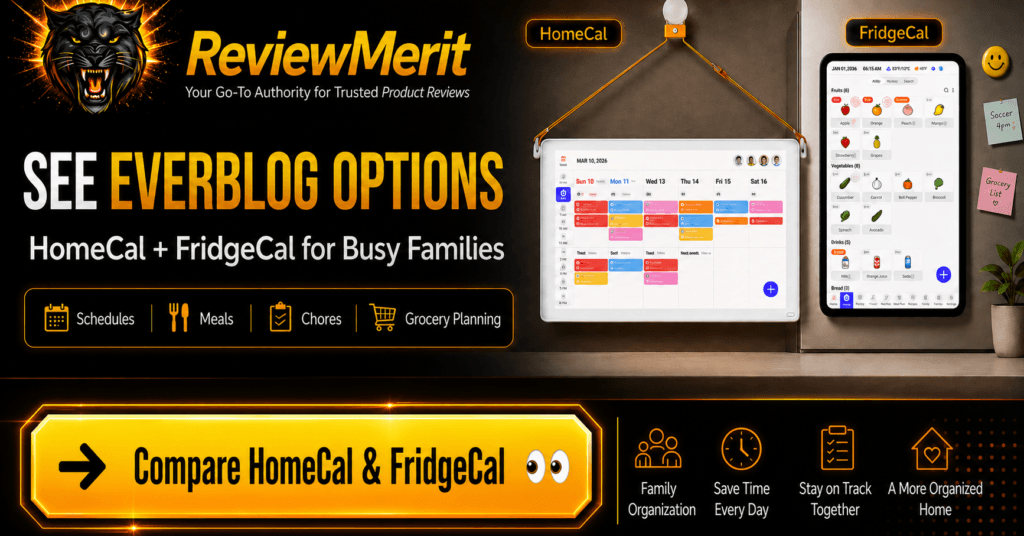
Everblog can be purchased through the official Everblog website, where buyers can view the full product lineup, compare HomeCal and FridgeCal, and check current availability and promotions.
HomeCal is also available through Amazon, which may be preferable for buyers who already shop there or want Amazon’s checkout and delivery system. FridgeCal availability may be more limited depending on current inventory, so the official Everblog site is likely to be the better place to check first if that is the model you want.

Compare HomeCal and FridgeCal, check current availability, and see the latest official offers
Prefer Amazon?
Check current Amazon pricing, availability, shipping options, and customer reviews
More Home Must-Haves
If you are looking for more products that can make daily routines easier, more organized, or less frustrating, explore our latest Home Must-Haves reviews and recommendations.