
Is HomeFi Internet good? Yes, for the right home and the right location. HomeFi can provide a reliable connection for streaming, browsing, video calls, and working from home when cellular coverage is strong. Its biggest advantage is giving people another option in places where cable or fiber may be unavailable, difficult to install, or simply impractical.
The tradeoff is that HomeFi relies on cellular networks, so performance can vary significantly from one location to another. A strong nearby signal can produce a very usable everyday internet connection, while weak coverage or heavy network congestion can lead to slower speeds and a less consistent experience.
HomeFi also should not be viewed as a direct replacement for fast fiber or cable when those services are readily available. Instead, it makes the most sense for rural households, travelers, renters, RV users, and others who value portability and flexibility more than maximum speed.
In this review, we’ll look at how HomeFi performed during our testing, current plans and pricing, the strengths and drawbacks of the service, who it makes the most sense for, and what you should know before deciding whether it fits your location.
This post contains affiliate links. If you purchase through them, we may earn a small commission at no extra cost to you.
See If HomeFi Is Available Where You Live
Compare available plans, pricing, and any offers
Table of Contents
What Is HomeFi Internet?
HomeFi is a cellular-based internet service designed for people who need Wi-Fi without relying on a traditional cable or fiber connection. Instead of running a physical internet line into your home, the HomeFi router connects to available cellular networks and creates a Wi-Fi connection for your phones, computers, TVs, and other devices.
That makes it especially interesting for rural homes where traditional broadband options may be limited, but it is not strictly a rural service. The portable setup can also make sense for RV travelers, renters, frequent movers, temporary housing, or anyone who wants an internet connection that does not require a technician to install.
The biggest thing to understand is that HomeFi’s performance depends on cellular coverage. A strong nearby signal can provide a perfectly usable connection for everyday browsing, streaming, video calls, and remote work, while a weaker signal may produce a very different experience.
Setup is one of the simpler parts of the service. Once the router is powered on and connected, you connect your devices to its Wi-Fi network much like you would with a traditional home router. There is no drilling, cable installation, or technician appointment required.
That last point is really what separates HomeFi from a traditional ISP: you are trading the consistency and potential speed of a wired connection for portability, flexibility, and the ability to get internet in places where wired service may not be practical.
How We Tested HomeFi Internet and Our Results
We tested HomeFi over several weeks in both suburban and rural locations because cellular internet can perform very differently depending on where you use it. Rather than relying on a single speed test, we used it for the kinds of things people actually buy home internet for: streaming, video calls, browsing, working online, and everyday device use.
Setup was about as simple as advertised. From opening the box to connecting our devices, we were online in less than 10 minutes without a technician or complicated installation. That plug-and-play experience is one of HomeFi’s biggest advantages, especially for someone who does not have an easy wired internet option available.
Performance changed with location. In our suburban testing, download speeds generally fell between 35 and 50 Mbps. Rural speeds were lower, typically around 15 to 25 Mbps, but still usable for normal browsing, HD streaming, and video calls. Upload speeds generally ranged from 5 to 15 Mbps, which was adequate for Zoom calls and everyday file uploads, although heavier content creators may want more.
Latency usually landed around 40 to 60 milliseconds. We had no problem with normal browsing, streaming, or routine online use, but competitive gamers who depend on consistently low latency may notice the difference compared with a good cable or fiber connection.
Reliability was encouraging during our testing. We did not experience any major outages, although speeds sometimes dipped during busier evening hours. That is worth keeping in mind because HomeFi relies on cellular networks, and congestion can affect performance just as it can on a phone.
Our testing showed that HomeFi can be a dependable option for everyday internet use when cellular coverage is strong, but location matters. It handled streaming, remote work, browsing, and video calls well enough for normal household use, while heavier gaming and very high-bandwidth households remain better suited to faster wired connections when those are available.
HomeFi Internet Plans & Pricing
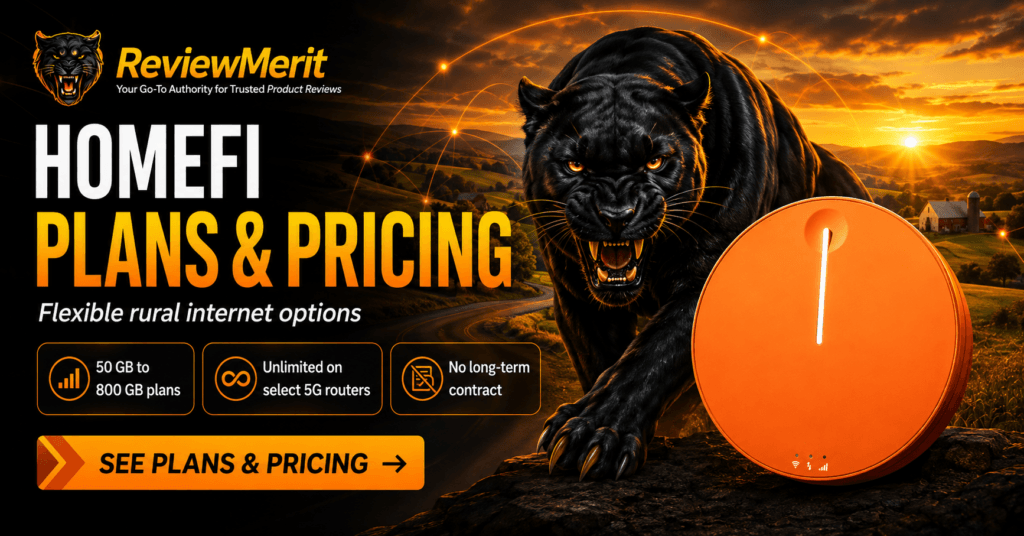
HomeFi offers several plans based on how much data you need and the type of router available in your area. Current options range from lower-data plans for lighter internet use to unlimited service on select 5G devices.
Current HomeFi plan pricing includes:
- 50 GB — $50 per month
- 100 GB — $65 per month
- 200 GB — $80 per month
- 300 GB — $90 per month
- 450 GB — $100 per month
- 800 GB — $135 per month
- Unlimited service on select 5G routers — $70 per month
HomeFi does not require a long-term contract, giving you more flexibility to change plans or cancel without being locked into a traditional multi-year internet agreement. Equipment costs can vary depending on the router and plan selected, so it is worth checking the current checkout details before ordering.
Because HomeFi offers several devices and plan structures, the exact pricing available to you may depend on the equipment and service offered for your location. We recommend checking HomeFi directly for the current plan options before making a decision.
Pros & Cons of HomeFi Internet
HomeFi’s biggest strengths are flexibility and simplicity. It gives people in rural or underserved areas another way to get online without waiting for cable or fiber installation, and the portable setup makes it useful for more than just one permanent home. At the same time, it is still a cellular-based internet service, so the quality of the experience depends heavily on where you use it.
Pros
- Simple plug-and-play setup with no technician required
- Useful option where cable or fiber is unavailable
- Portable enough for rural homes, RVs, travel, and temporary locations
- No long-term contract
- Multiple data-plan options, including unlimited service on select 5G equipment
- Works well for browsing, streaming, video calls, and remote work when cellular coverage is strong
Cons
- Performance can vary significantly by location and signal strength
- Speeds may slow during periods of network congestion
- Not the best choice for competitive gaming or households that need consistently high bandwidth
- Fixed-data plans require choosing an allowance that matches your usage
- Customer experiences with billing, cancellation, and support are mixed
- It may offer little advantage if reliable cable or fiber is already available
HomeFi makes the most sense when flexibility, portability, and rural availability matter more than having the fastest possible connection. Its biggest limitation is also the most important thing to understand before buying: performance depends on the cellular network available where you plan to use it.
Still wondering whether HomeFi is actually worth the money?
Our dedicated Is HomeFi Worth It? guide breaks down portability, no-contract flexibility, real-world expectations, and whether the service may fit your specific rural internet situation.
What Customers Are Saying About HomeFi Internet
Customer feedback on HomeFi is mixed, and that makes location and expectations especially important. Some users report that HomeFi gives them a practical internet option where cable or fiber is unavailable, particularly for rural homes, travel, and RV use. Positive comments often focus on the convenience of the plug-and-play setup, portability, and the ability to get connected without committing to a traditional wired internet provider.
The biggest dividing line is performance. Because HomeFi relies on cellular networks, one customer may get a dependable connection while another sees slower speeds, congestion, or dropped service. That lines up with our own view that HomeFi works best when the cellular coverage in your area is strong. Independent customer reports include complaints about inconsistent speeds and connections that did not meet expectations, particularly when signal conditions were poor or network performance changed throughout the day.
Customer service and cancellation are the other areas where we would pay attention before signing up. Some independent reviewers describe difficulty canceling service, getting refunds, or resolving billing issues. Those complaints do not mean every customer will have the same experience, but they are common enough that we think prospective buyers should understand the cancellation and return terms before ordering.
Overall, HomeFi appears to work best for people who understand what they are buying: a cellular-based internet service whose performance can vary considerably by location. If you have strong cellular coverage and need a flexible rural or portable internet option, customer experiences show that HomeFi can work well. If your signal is marginal or you need consistently high speeds for demanding household use, the mixed feedback is a good reason to check coverage carefully before committing.
Who Should Use HomeFi Internet
HomeFi makes the most sense for people who need flexibility more than raw speed. If cable or fiber is unavailable, unreliable, or simply impractical where you live, a cellular-based service like HomeFi can fill an important gap.
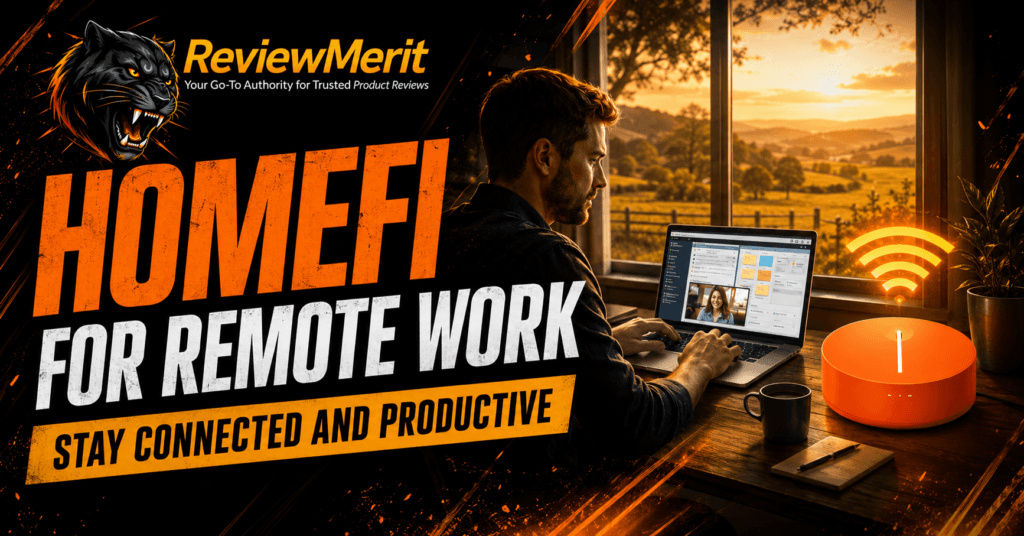
It is especially well suited for rural households, RV travelers, renters, frequent movers, and anyone who needs internet in a location where traditional installation is difficult. It can also work well for people who mainly browse the web, stream video, work from home, attend video calls, and use a handful of connected devices without demanding fiber-level performance.
Where HomeFi becomes less attractive is in households that already have strong cable or fiber service, competitive gamers who need consistently low latency, or heavy users who regularly move large files and depend on very high speeds. The biggest deciding factor is still coverage. If cellular service is strong where you plan to use HomeFi, it can be a practical and flexible option. If the signal is weak, the experience may be much less consistent.
If you’re comparing HomeFi with other rural internet options, our Best Internet for Remote Areas guide puts it into context alongside other services designed for hard-to-reach locations.
Is HomeFi Internet Worth It?
Yes, HomeFi is worth it if your biggest problem is simply getting dependable internet where cable or fiber is limited or unavailable. Its strongest appeal is not blazing-fast speed. It is the ability to get connected without a traditional installation, take the service with you when needed, and avoid being locked into a long-term contract.
We think HomeFi makes the most sense for rural households, RV travelers, renters, and light-to-moderate internet users who mainly stream, browse, work from home, and use video calls. If you have strong cellular coverage in your area, it can fill a gap that traditional internet providers simply do not.
The decision becomes harder if you are a competitive gamer, regularly move huge files, have several people streaming 4K at the same time, or expect fiber-like performance. HomeFi depends heavily on cellular coverage and network conditions, so the experience can vary significantly from one location to another.
For the right household and the right location, we think HomeFi is worth considering. The most important step before ordering is checking coverage and making sure the available plan fits the way you actually use the internet.

Ready to See if HomeFi Works Where You Live?
See HomeFi availability and current pricing in your area
Still wondering whether HomeFi is actually trustworthy? Our dedicated Is HomeFi Legit? guide breaks down common concerns, scam questions, real-world expectations, and what rural users should know before buying.
Frequently Asked Questions About HomeFi Internet
Does HomeFi Internet actually work?
Yes, HomeFi can work well when you have strong cellular coverage in your area. It uses cellular networks instead of cable or fiber, so performance depends heavily on location, nearby towers, and network congestion. In areas with a good signal, HomeFi can handle everyday tasks such as streaming, browsing, video calls, and remote work.
Is HomeFi Internet good for streaming Netflix and YouTube?
Yes, HomeFi can be a good option for streaming when the connection is strong enough. HomeFi currently lists typical speeds around 20–35 Mbps download on some devices, which can support services such as Netflix, Hulu, YouTube, and other everyday streaming. Actual performance can vary, especially when several devices are using the connection at the same time.
Can I use HomeFi Internet while traveling or in an RV?
Yes. Portability is one of HomeFi’s main advantages, and the company markets its service for travel and RV use as well as rural homes. Because the service depends on cellular networks, however, performance can change as you move between locations and coverage areas.
Is HomeFi Internet good for rural areas?
It can be. HomeFi is specifically designed for places where cable, fiber, or other wired internet options may be limited. Its multi-network cellular approach can make it useful in rural or remote locations, but a strong cellular signal is still important. Rural does not automatically mean HomeFi will perform well at every address.
Does HomeFi Internet have data caps?
It depends on the plan. HomeFi offers several fixed-data plans, including 50 GB, 100 GB, 200 GB, 300 GB, 450 GB, and 800 GB options, while select 5G products are also offered with unlimited service. Check the specific plan and router available to you before ordering so you know exactly how much data is included.
How does HomeFi Internet compare to cable, fiber, or satellite?
HomeFi trades some raw speed and consistency for flexibility. Fiber and cable are generally better choices when they are available and you need consistently high speeds, while HomeFi can be more practical in rural areas where wired service is limited or unavailable. Compared with satellite, HomeFi avoids the need for a dish and can offer lower latency, although satellite options such as Starlink may deliver faster speeds in some remote locations.
Is the setup complicated?
No. HomeFi devices are designed to be plug-and-play, so there is generally no technician visit or wired installation required. Once the device is powered on and connected to an available cellular network, you can connect your phones, laptops, TVs, and other devices to its Wi-Fi network.
Who should avoid HomeFi Internet?
HomeFi may not be the best choice if you already have reliable fiber or cable service, need consistently very high download and upload speeds, regularly move large files, or depend on extremely low latency for competitive gaming. It is also a weaker choice in locations where cellular coverage is poor.
Is HomeFi Internet worth it?
For the right user, yes. HomeFi makes the most sense for rural households, travelers, RV users, renters, and others who value portability and simple setup more than maximum speed. The deciding factor is usually coverage: if cellular service is strong where you plan to use it, HomeFi can be a practical alternative to traditional wired internet.
If you’re comparing rural internet options, see our full HomeFi vs Starlink Comparison for a closer look at the differences between cellular and satellite internet.
ReviewMerit Verdict

HomeFi is a good fit for the right person, but we would not recommend it blindly. Its biggest strength is giving rural households, travelers, renters, and other users a flexible internet option when cable or fiber is unavailable or impractical.
When cellular coverage is strong, HomeFi can handle the everyday things most people care about: browsing, streaming, video calls, remote work, and general household internet use. The simple setup, portability, and no-contract structure also make it easier to try than many traditional internet options.
The tradeoff is consistency. Because HomeFi depends on cellular networks, speeds and reliability can vary by location, nearby towers, congestion, and the equipment available in your area. If you already have reliable cable or fiber, we would usually choose that instead. If you do not, HomeFi becomes much more compelling.
Our verdict: HomeFi is worth considering for rural and flexible internet use, especially when traditional broadband options are limited, but checking coverage in your area should be the first step before you buy.
Where to Buy HomeFi Internet
If you’ve decided HomeFi is the right fit, we recommend purchasing directly from the official HomeFi website. That’s where you can check availability in your area, compare current plans, and order the equipment directly from the provider.
Before ordering, make sure you confirm coverage at your location and compare the available plan options based on how much data and speed your household actually needs.

Ready for Better Rural Internet?
Check current availability and pricing in your area
Explore More HomeFi Reviews and Rural Internet Guides
Still comparing rural internet options? Browse our HomeFi Reviews and Rural Internet Guides for more reviews, comparisons, and practical advice on choosing the right internet service for your location.
Is there a built in battery backup on device?
Yes, the newer HomeFi Infinity 5G router has a built-in 9,800mAh rechargeable battery. HomeFi estimates approximately 6–7 hours of active use or 18–19 hours on standby, so it should continue working temporarily during a power outage as long as cellular service remains available. Battery features may differ on other HomeFi devices, so it is worth confirming the specific model before ordering.